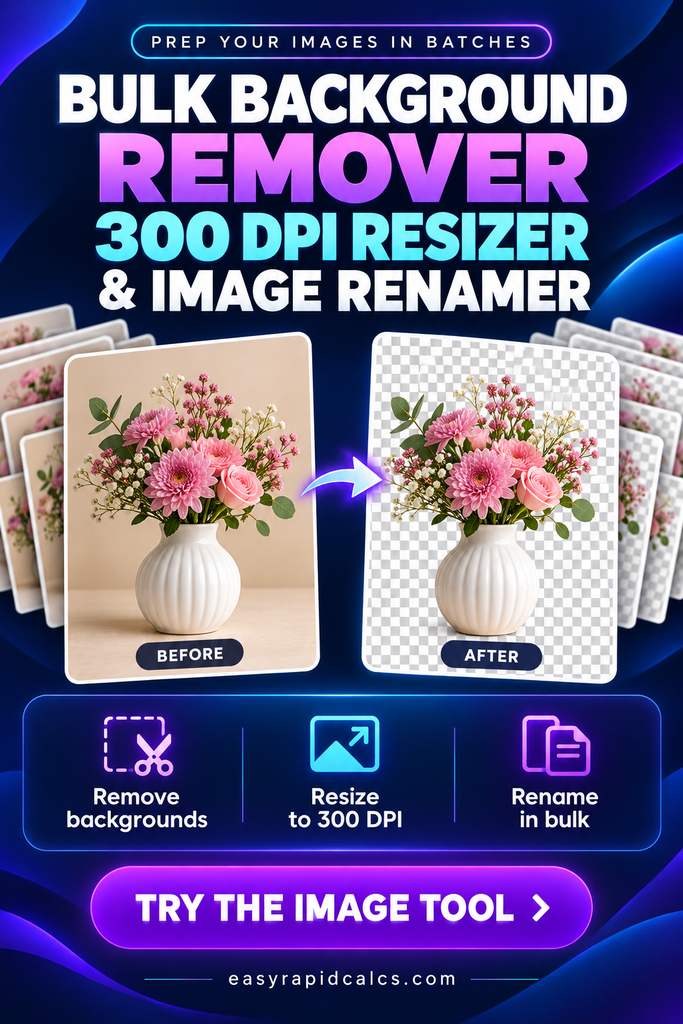
Bulk Background Remover, 300 DPI Resizer & Image Renamer
Updated
BulkCut Studio PRO
Bulk remove backgrounds, resize to exact print sizes, stamp 300 DPI, and rename hundreds of images in one go — then download everything as a ZIP. Runs 100% in your browser; your images never leave your computer.
Drop images or whole folders here
Bulk Background Remover, 300 DPI Resizer & Image Renamer
Remove backgrounds, resize to exact print sizes, set true 300 DPI and rename hundreds of images in one batch — then download a ZIP or save straight to a folder. Your images never leave your device.
✂️ Open the free toolTo get a print-ready 300 DPI image, the image needs enough pixels: multiply the print size in inches by 300. A 12 × 12 inch design needs 3600 × 3600 pixels; an 8 × 10 print needs 2400 × 3000 pixels. BulkCut Studio Pro does this math for you, resizes every image in the batch, writes 300 DPI into the PNG or JPG file, optionally removes the background, and renames the files — all in your browser, for free.
What BulkCut Studio Pro does
Most image tools make you do one job at a time: remove a background here, resize there, rename somewhere else. BulkCut Studio Pro chains all of it into one batch, so you can drop in a folder of 200 images and walk away with finished, consistently named, print-ready files.
Background removal
AI mode cuts out any subject — people, products, pets. Solid-color mode instantly clears plain white or colored backgrounds.
Or switch it offTrue 300 DPI
DPI is written into the file itself, so Photoshop, Canva, print shops and Etsy buyers see 300 DPI — not the 72 DPI most tools leave behind.
PNG & JPGInches → pixels
Pick 12 × 12, 8 × 10, A4 or any custom size in inches and the tool calculates the exact pixels for your DPI.
Fit, fill or stretchSmart bulk rename
Build names from tokens like {name}, {n:3} and {in}, with find & replace and SEO-safe characters.
Sticker effects
Add a white die-cut outline, a soft drop shadow, auto-trim, padding, sharpening, mirroring and color tweaks.
Great for stickersZIP or folder
Download everything as one ZIP with a CSV report, or save straight into a folder on your computer as each image finishes.
Chrome & EdgeHow to bulk resize images to 300 DPI (5 steps)
Add your images
Drag in files or a whole folder, tap Choose images, or paste with Ctrl + V. PNG, JPG, WEBP, GIF, BMP and AVIF all work, with no file-count limit.
Pick a preset — or set it yourself
Choose a ready-made preset like Etsy clipart · 12×12 in or Die-cut sticker · 3×3 in. Every setting stays editable, and you can save your own presets.
Choose background removal
Use the switch above the Process button: Off keeps the background, AI remove works on any photo, and Remove solid color is instant for clipart on white.
Set a naming pattern
In the Rename tab, combine tokens such as {name}-{in}-{dpi}. The live preview shows exactly what each file will be called before you process.
Process and export
Hit Process, check any image with the before/after slider, then Download ZIP or Save to folder. A CSV report lists every file’s pixels, DPI and print size.
What 300 DPI really means (and the mistake most people make)
DPI (dots per inch) tells a printer how many pixels to pack into each inch of paper. At 300 DPI, every inch of the print uses 300 pixels — dense enough that the human eye can’t see individual pixels at normal viewing distance. That’s why 300 DPI is the standard for photo prints, stickers, sublimation and most professional printing.
Example: 12 in × 300 DPI = 3600 px · Reverse it: 3600 px ÷ 300 DPI = 12 in
Upscaling (making a small image larger) can’t invent detail that wasn’t captured, but high-quality resampling plus the built-in Sharpen slider keeps edges crisp — especially on flat clipart, logos and illustrations. For photos, start from the largest original you have.
Print size to pixels at 300 DPI — cheat sheet
Use this table to check whether your source images are large enough, or to set custom sizes in the tool. The bar shows total megapixels, so you can see how quickly larger prints need more data.
| Print size | Common use | Pixels at 300 DPI | Megapixels |
|---|---|---|---|
| 2 × 2 in | Small stickers, labels | 600 × 600 | |
| 3 × 3 in | Die-cut stickers | 900 × 900 | |
| 4 × 6 in | Photo prints, postcards | 1200 × 1800 | |
| 5 × 7 in | Cards, invitations | 1500 × 2100 | |
| 9.3 × 8.2 in | 20 oz skinny tumbler wrap | 2790 × 2460 | |
| 8 × 10 in | Wall art, printables | 2400 × 3000 | |
| 8.5 × 11 in | US Letter printables | 2550 × 3300 | |
| 12 × 12 in | Clipart, scrapbook paper | 3600 × 3600 | |
| 11 × 14 in | Large wall prints | 3300 × 4200 | |
| 12 × 16 in | DTF / DTG shirt prints | 3600 × 4800 | |
| 16 × 20 in | Posters | 4800 × 6000 |
Formula: width in inches × 300 = width in pixels; height in inches × 300 = height in pixels. Tumbler and shirt sizes vary by blank and printer — always check your supplier’s template.
Which background removal mode should you use?
BulkCut Studio Pro gives you three choices, and picking the right one saves time and gives cleaner edges.
| Mode | Best for | Speed | Needs download? |
|---|---|---|---|
| 🚫 Off | Photos, wall art, tumbler wraps — anything that keeps its background | Instant | No |
| ✨ AI remove | People, products, pets, busy or textured backgrounds | A few seconds per image | Once (≈40–80 MB, then cached) |
| 🎯 Solid color | Clipart, logos, scans and illustrations on plain white or a single color | Instant | No |
Solid-color mode includes a tolerance slider, edge softness, an eyedropper for picking the exact background shade, and an option to clear enclosed areas (like the inside of the letter “O”). For either removal mode, the Edge cleanup slider erases faint halo pixels that can show up when a transparent PNG is printed on dark fabric.
Built-in presets for Etsy sellers and print shops
Presets set the size, DPI, background and format in one tap. Each one is a starting point — tweak anything, then save your version as your own preset.
Etsy clipart · 12 × 12 in
AI background removal, auto-trim, 2% padding, 3600 × 3600 px transparent PNG at 300 DPI. The classic clipart-bundle format.
Die-cut sticker · 3 × 3 in
Transparent cutout with a thick white outline and soft shadow — ready for Cricut Print Then Cut or sticker printers.
Sublimation tumbler · 20 oz
9.3 × 8.2 in full wrap at 300 DPI with fill-and-crop, so designs reach every edge of the template.
T-shirt DTF / DTG · 12 × 16 in
Transparent PNG sized for a standard adult front print, trimmed so no empty space wastes film.
Product photo · white background
2000 × 2000 px JPG with a clean white background, centered subject and subtle shadow for marketplaces.
Web optimized · 1600 px
Small, fast WEBP files for websites and blogs — shrinks large images but never upscales small ones.
Selling digital downloads? Etsy currently allows up to 5 files per listing at 20 MB each, so it’s common to bundle 12 × 12 in PNGs into ZIP files. Use the CSV report from BulkCut to double-check every file’s size before you upload.
Bulk rename images for SEO and organization
Camera and phone names like IMG_4821.png or 1000152792.png tell buyers and search engines nothing. Descriptive, lowercase, dash-separated names are easier to manage and help images rank in Google Images. The Rename tab builds names from these tokens:
| Token | Becomes | Example |
|---|---|---|
{name} | Original file name | watercolor-rose |
{n} / {n:3} | Sequence number, optionally zero-padded | 7 / 007 |
{w} {h} | Output width and height in pixels | 3600 · 3600 |
{dpi} | Output DPI | 300dpi |
{in} | Print size in inches | 12x12in |
{date} | Today’s date | 2026-10-12 |
Add a prefix and suffix, find and replace words, choose the letter case and separator, and turn on SEO-safe characters to strip symbols and accents that break uploads. For example:
Before: IMG_4821.png → After: spring-floral-clipart-01-12x12in.png
Before: Flower Design (2).jpg → After: spring-floral-clipart-02-12x12in.png
PNG vs JPG vs WEBP: which format to export
| Format | Transparency | 300 DPI stored | File size | Best for |
|---|---|---|---|---|
| PNG | Yes | Yes | Largest | Clipart, stickers, DTF, sublimation, logos |
| JPG | No (fills white) | Yes | Small | Photo prints, product photos, wall art |
| WEBP | Yes | No (no DPI field) | Smallest | Websites, blogs, fast-loading galleries |
For anything that will be printed, export PNG or JPG. WEBP is a web format and has no place to store DPI.
8 pro tips for print-perfect batches
Start with the biggest original
Resizing down always looks better than resizing up. Keep your full-resolution source files.
Trim before you size
Turn on Auto-trim so empty transparent space doesn’t shrink your design inside the canvas.
Leave a little padding
2–3% padding keeps designs from touching the edge — buyers and print shops will thank you.
Check edges on black
Open the before/after slider and switch the backdrop to black or pink to spot white halos.
Use “Never upscale” for web
It shrinks large images while leaving small ones untouched, so nothing goes blurry.
Mirror for transfers
Sublimation and iron-on transfers often need a flipped image — use Flip horizontally in Effects.
Name files once, correctly
Set your rename pattern before processing so the ZIP, folder and CSV all match.
Save your own presets
Dial in your shop’s exact settings once, save them, and every future batch takes seconds.
Private by design: your images never leave your device
Most online background removers upload your files to their servers. BulkCut Studio Pro processes everything inside your own browser — resizing, background removal, DPI and renaming all happen on your device. Nothing is uploaded, nothing is stored, and there’s no account to create. Once the AI model is cached, AI removal even works offline.
Frequently asked questions
Is this bulk background remover really free?
Yes. There’s no sign-up, no watermark and no limit on the number of images. Because processing happens in your browser, there are no server costs passed on to you.
Does changing an image to 300 DPI make it higher quality?
Not on its own. DPI only tells the printer how densely to place pixels. Print quality depends on having enough pixels for the size you want — that’s why the tool resizes pixels and sets DPI together.
How many pixels is 12 × 12 inches at 300 DPI?
3600 × 3600 pixels (12 × 300 = 3600). An 8 × 10 inch print needs 2400 × 3000 pixels, and 8.5 × 11 inches needs 2550 × 3300 pixels.
Can I resize and rename without removing the background?
Yes. Set the background removal switch to Off — keep background. Resizing, 300 DPI, effects and renaming still apply.
Why is AI background removal slow the first time?
The first run downloads the AI model (about 40–80 MB) into your browser. After that it’s cached, so later batches start quickly. You can also tap Pre-load AI model in the Background tab.
Will Photoshop and Canva see my files as 300 DPI?
Yes for PNG and JPG — the DPI is written into the file’s metadata. WEBP files have no DPI field, so use PNG or JPG for anything you’ll print.
Does it work on my phone?
Yes. Uploading, background removal, resizing, renaming and ZIP downloads all work on modern phones. Saving directly to a folder requires Chrome, Edge or Opera on a computer; on phones, the ZIP goes to your Downloads folder.
Is there a limit on how many images I can process?
No set limit. Very large batches of huge images depend on your device’s memory — on phones, batches of 20–50 large images at a time work best.
Are my images uploaded anywhere?
No. All processing happens locally in your browser. Your images are never sent to a server.
Prep your next batch in minutes
Remove backgrounds, resize to exact print sizes, stamp 300 DPI and rename everything — free, private and right in your browser.
✂️ Start using BulkCut Studio Pro